.png)
How to Restore a Deleted Job
Accidentally deleted a job?
Happens to the best of us. Deleted doesn't mean gone. Follow the steps below and you'll have it back in under a minute. Quotes can be restored the same way.
Step-by-step guide
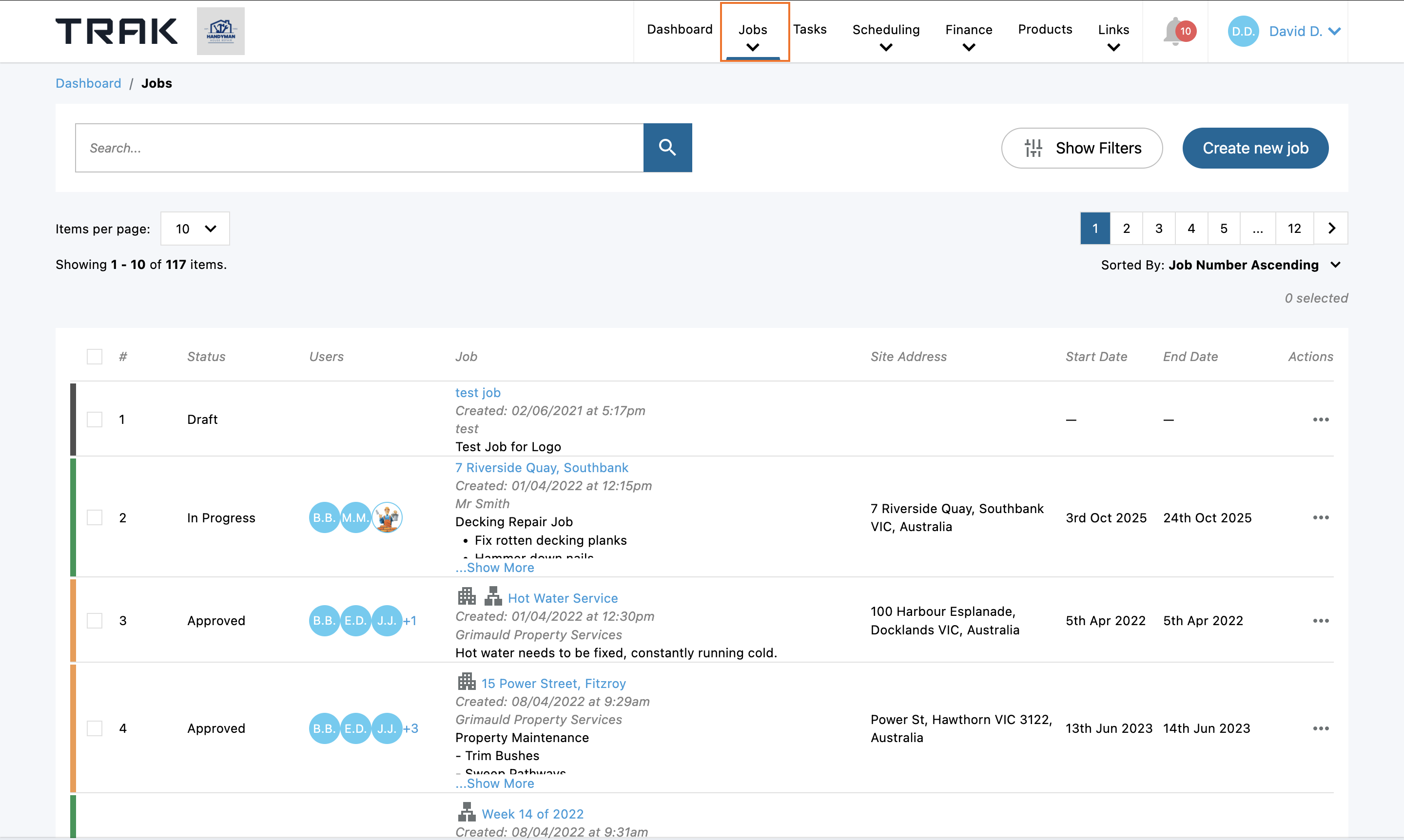
Step 1: Open your Jobs
Open the all jobs list from the top menu.
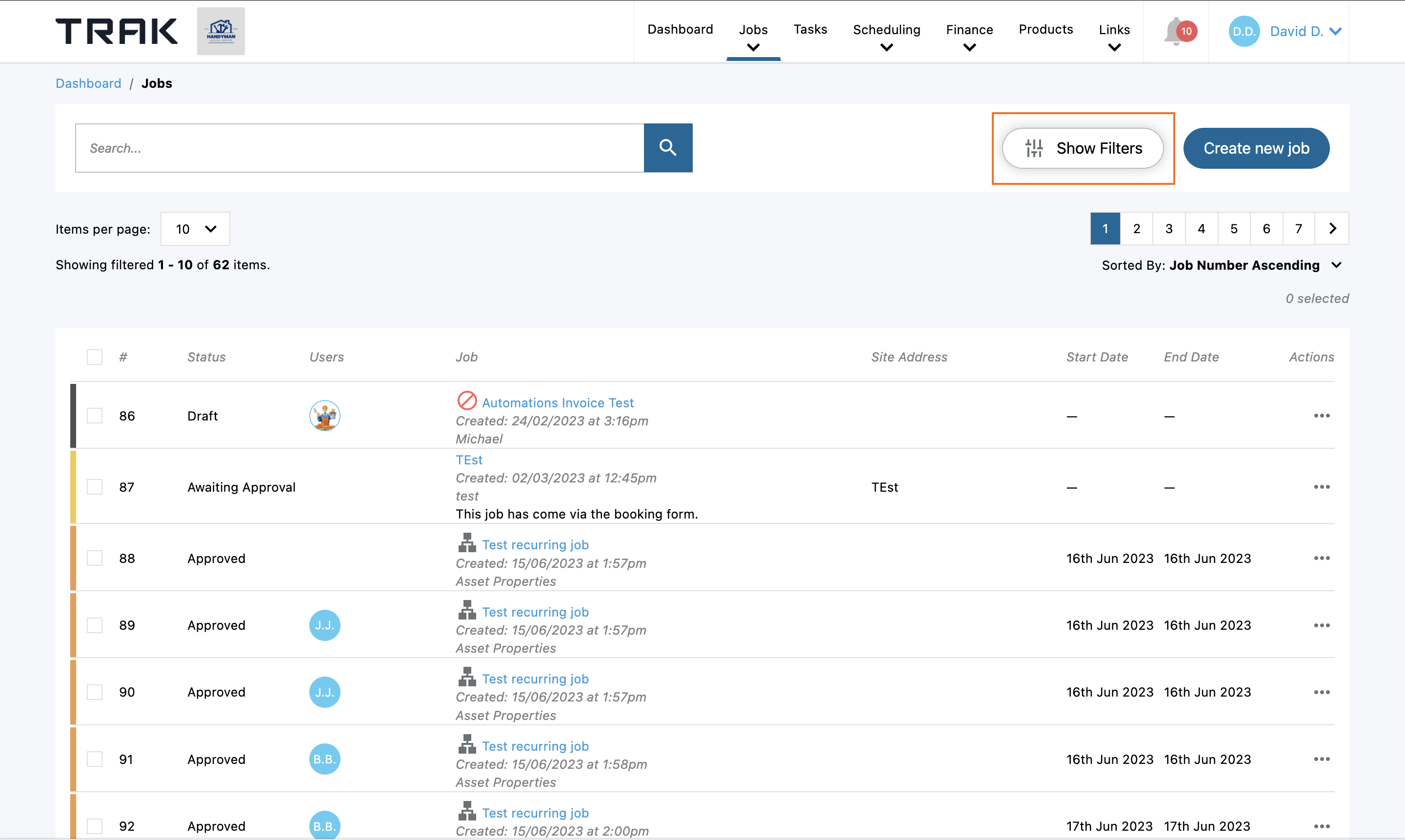
Step 2: Click Show Filters
It's in the top right, next to Create new job.
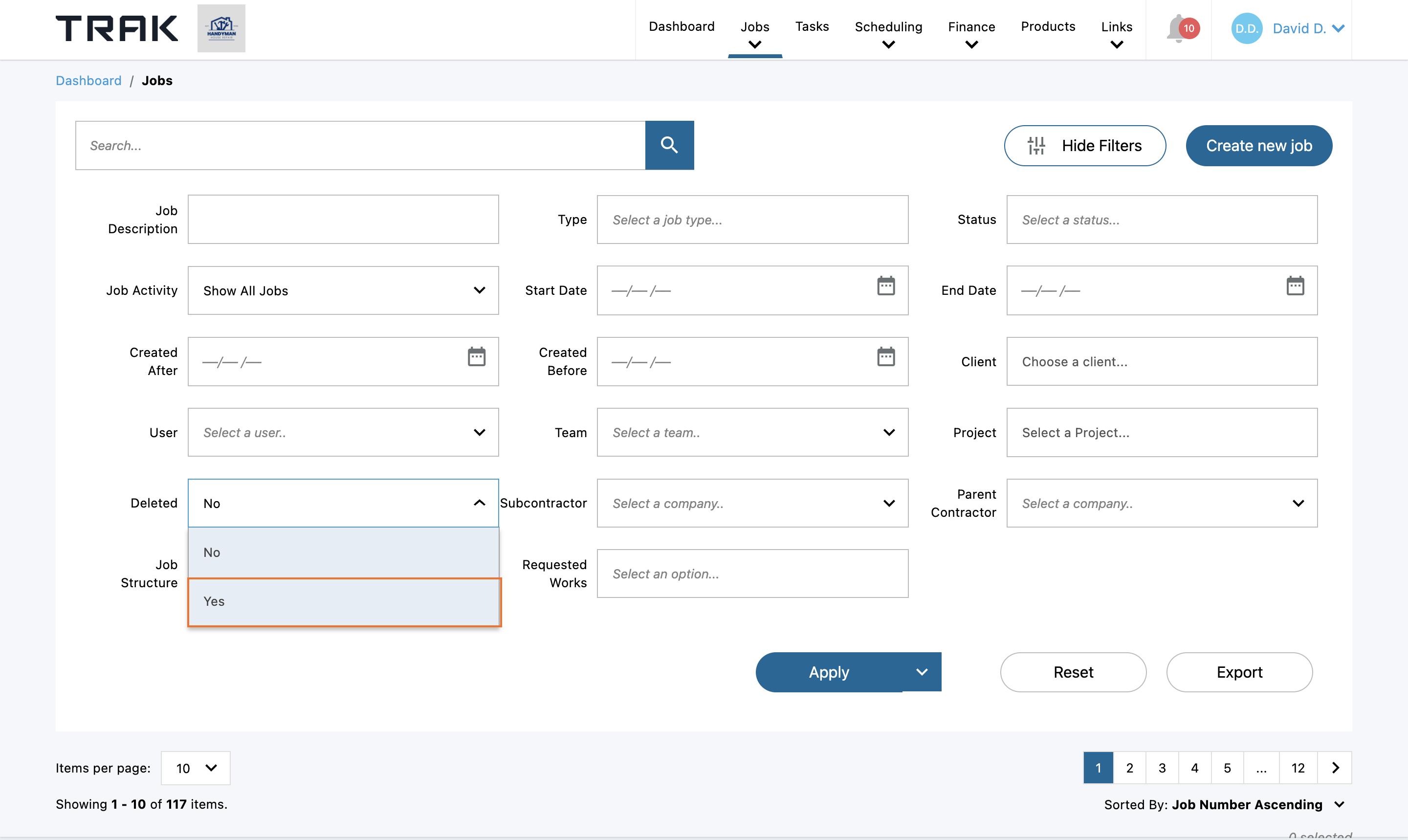
Step 3: Set the deleted filter to yes
Select the 'yes' option in deleted dropdown, this will now bring up a list of all jobs that have been deleted.
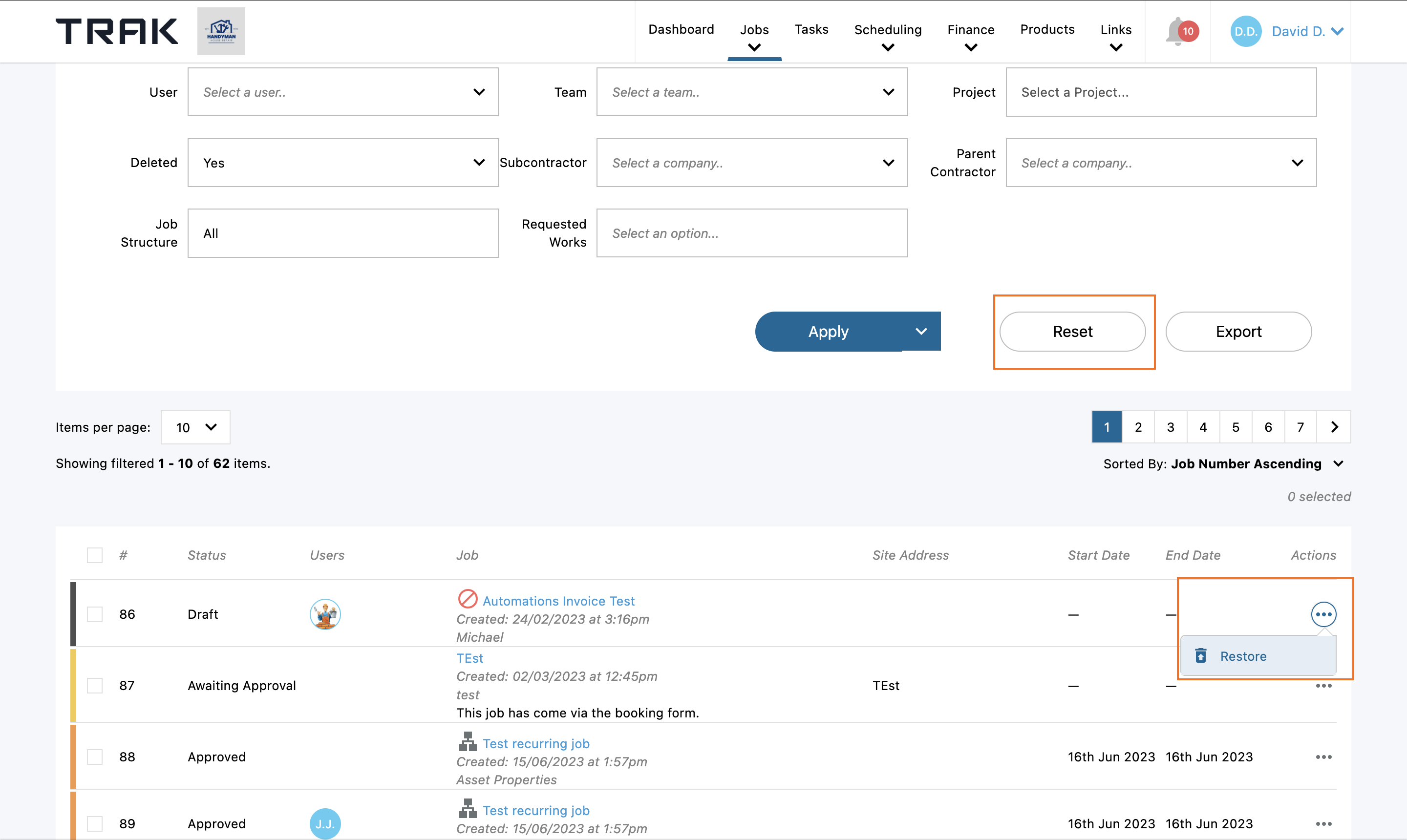
Step 4: Restore the Job
Click the three dots next to the job name and select Restore. Reset your filters and it'll show back up alongside your active jobs.
Frequently Asked Questions
What other items can be restored?
Jobs and quotes, for now
What if I've deleted more than one job?
Restore them one at a time, using the same actions menu on each.
What if I've deleted something that can't be restored?
Get in touch with support and we'll do what we can.
Need More Help?
- Email: contact@trak.co
- Use the support bubble in the bottom-right corner of your Trak platform
- Book a Demo